Our Plans
Plan and Pricing
Basic Plan
- Up to 7 Dynamic Pages
- Custom Home Page Design
- Responsive (Mobile-Friendly) Layout
- Contact Page with Google Map
- Basic Inquiry Form (with Email Notification)
- WhatsApp Chat Button
- Social Media Icons
- Fast Loading Website
- SEO-Friendly URLs
- Basic SEO Setup
- Simple Admin Login
- Manage CMS Pa
- Add/Edit Social Media Links
- Enquiry Export (CSV/Excel)
- Manage Site Title, Footer, Copyright
Standard
- Up to 15 Dynamic Pages
- Creative & Custom UI/UX Design
- Mobile + Tablet Responsive Layout
- High-Speed Optimized Design
- Professional Home Page Banner
- Dedicated Services Pages
- Project / Work Gallery with Filters
- Blogs (with Categories + Tags)
- FAQs Accordion
- Testimonials Slider
- Team / Staff Showcase
- Newsletter Subscription Form
- Contact Page with Google Map
- Inquiry Form with Admin Email Notification
- WhatsApp Chat Button
Premium
- Unlimited Dynamic Pages
- Custom UI/UX Design
- Mobile & Tablet Responsive Layout
- Fast Loading Speed
- Services Listing Page
- Products/Portfolio Listing with Filters
- Testimonials Section
- FAQ Accordion
- Blog Section (Categories & Tags)
- Contact Page with Google Map
- Inquiry Form with Admin Email Notification
- WhatsApp Chat Button
- SEO-Friendly URLs and Meta Tags
Social Media
eCommerce
Help & Support
Looking For Printer Solutions?
Printer Installation & Configuration
- Connect the printer to a power point
- Connect the printer to a computer/laptop (via USB, Ethernet, WLAN)
- Control panel > devices and printers > find printer
- If no suitable driver is found, an up to date printer driver must be downloaded from the manufacturer’s website
- Individual settings can be selected under printer settings (control panel)
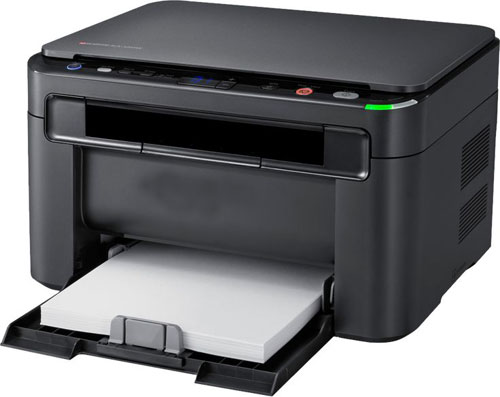
How to install Printer Software
As soon as a printer is connected to a computer or laptop, the operating system should recognize it as new hardware device and issue a corresponding message. Modern software such as Windows 10 automatically selects and downloades suitable drivers using the installation wizard. In this case, users only have to follow the instructions of the wizard and the printer can be installed within a few minutes. Older printer models and operating systems may not find a suitable driver, but this is by no means a reason to panic. A newly purchased printer usually comes with an installation disc with an up to date printer driver which can be installed manually. If the printer is a second hand device with missing drivers, a quick search on the Internet can help. Most printer manufacturers offer free driver downloads on their websites.
Comprehensive Printer Services for Every Need